
First SignIn Guide
Microsoft 365 First Sign-In Guide
Welcome! Follow these simple steps to sign in to your Microsoft 365 account for the first time.
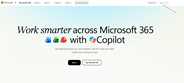
Step 1 - Open Microsoft 365Open web browser Edge, Chrome, or Firefox. Go to https://microsoft365.com and click Sign in. |
|
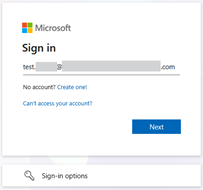
Step 2 - Enter Your UsernameType the work or school email address provided by your administrator and click Next. ✅ Make sure there are no spaces before or after the username. ✅ Pay attention to spelling. ✅ The username is not usually case-sensitive. |
|
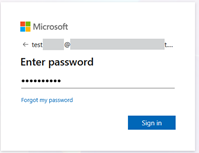
Step 3 - Enter Your PasswordEnter the temporary password you received and click Sign in. ❌ Never share your password with other people. ❌ Do not write your password where others can see it. ✅ Keep it in a safe place. |
|
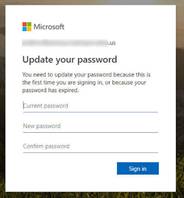
Step 4 - Change Your PasswordIf prompted, enter the old password once and your new password twice. Choose a strong password and keep it private. |
|
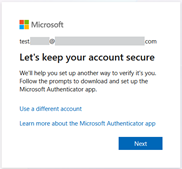
Step 5 - Protect Your AccountMicrosoft will ask you to set up Multi-Factor Authentication (MFA) for extra security. Click Next. |
|
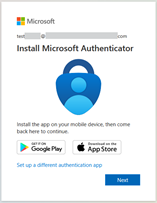
Step 6 - Start Security SetupFollow the instructions shown on the screen. Install Microsoft Authenticator on your phone from the App Store or Google Play. After installing Microsoft Authenticator on mobile phone, click Next. |
|
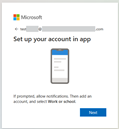
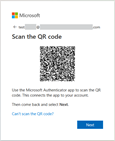
Step 7 - Scan the QR CodeOpen Authenticator, add a Work or School Account, and scan the QR code displayed on your computer. |
|
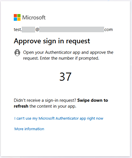
Step 8 - Approve the Test NotificationWhen a notification appears on your phone, tap Approve to verify the setup. |
|
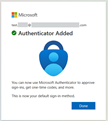
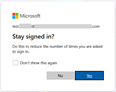
Step 9 - FinishClick Done. Click Yes if you wish to reduce number of signins. Your Microsoft 365 account is now ready to use. |
|
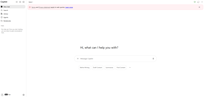
Step 10 – You are logged to Microsoft 365You are logged to Microsoft 365 and Copilot start page. |
|
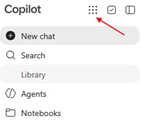
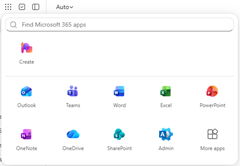
Microsoft 365 Online applicationsClick “9 dots” button to access Microsoft 365 Online applications like Word Online, Excel Online, Outlook Online. |
|
Success!
You have now:
✅ Signed in to Microsoft 365
✅ Changed your password
✅ Set up Multi-Factor Authentication
✅ Secured your account
✅ Gained access to Microsoft 365 applications